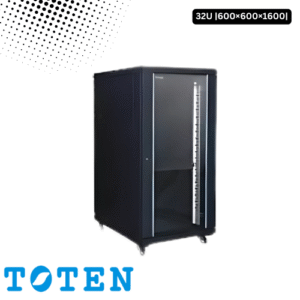
In the erratic power landscape of Bangladesh, a Toten server rack is only as good as the power protecting it. Frequent load shedding and voltage spikes can fry sensitive motherboards or cause data-corrupting hard shutdowns.
To build a resilient system, you must properly bridge your Local UPS (the battery backup) with your Toten PDU (the power distributor). Here is the expert guide to doing it right.
The Power Architecture: UPS First, PDU Second
A common mistake is plugging the UPS into the PDU. To protect your equipment, the flow must be:
Wall Outlet → UPS → Toten PDU → Server/Network Equipment.
The UPS acts as the “Conditioner,” cleaning the raw power from the grid and providing battery backup.
The Toten PDU acts as the “Distributor,” taking that clean power and spreading it across the 6 to 12 outlets in your rack.
Choosing the Right Connection Type
Toten PDUs in Bangladesh typically come with UK-style 3-pin plugs or Industrial C14/C20 connectors.
For Desktop UPS (e.g., Apollo, Digital X): Most have standard 3-pin outlets. Ensure your Toten PDU has a matching 3-pin input plug.
For Online/Rackmount UPS (e.g., APC, Santak): These often use IEC C13 (kettle-style) outlets. You may need a C14-to-UK Socket converter or a Toten PDU with a C14 input plug to connect them seamlessly.
Calculating the Load (The 80% Rule)
Overloading a PDU or UPS is a fire hazard. In Bangladesh’s heat, equipment draws more current as fans spin faster.
Step 1: Add up the Wattage of all devices (Server + Switch + Router + NVR).
Step 2: Ensure the total is less than 80% of your UPS capacity.
Example: On a standard 13A Toten PDU (which supports up to ~3000W), do not exceed 2400W to allow for “startup surges” when power returns after load shedding.
Managing “Dirty” Power with AVR
Bangladesh’s grid often suffers from “Brownouts” (low voltage).
Ensure your local UPS has Built-in AVR (Automatic Voltage Regulation).
The UPS will stabilize the voltage before it reaches the Toten PDU. This prevents your PDU’s internal circuit breakers from constantly tripping due to minor fluctuations.
Cable Management for Better Airflow
A “nest” of power cables at the back of your Toten rack traps heat.
Use the Vertical Rails: Toten racks have side space designed for cable management. Run the main thick cable from the PDU down the side rail to the UPS at the bottom of the rack.
Weight Distribution: Always place your UPS at the very bottom of the rack. They are the heaviest component; placing them high makes the rack “top-heavy” and prone to tipping.
Integration Checklist
| Step | Action | Why? |
| 1 | Plug UPS into the wall | Direct ground protection. |
| 2 | Plug Toten PDU into UPS | Ensures all rack gear is on battery. |
| 3 | Check PDU Grounding | Toten racks have a grounding stud; connect it to the room’s earth. |
| 4 | Label PDU Outlets | Know exactly which plug belongs to the Server vs. the Router. |
Pro Tip: If your startup uses a Generator, ensure your UPS is “Generator Compatible.” Some low-cost local UPS units cannot sync with the “dirty” sine wave of a diesel generator, causing them to stay on battery until they die.
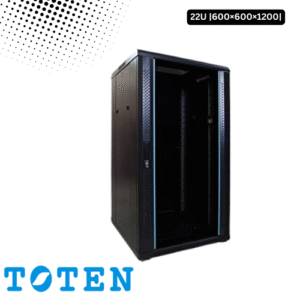
Toten 22U Server Rack 600x600x1200