Plug-and-Play Power for Your Server Rack: What You Need to Know Before You Buy
Most server room problems trace back to one source: power that was never properly planned. The rack gets assembled, equipment goes in, and someone grabs the nearest PDU from a supplier in Banglamotor without checking whether it matches the load, the input voltage, or the outlet types on the servers. Weeks later, a tripped breaker at 2 AM turns into an emergency.
Plug-and-play rack power is a real thing — but it only works when the right components are selected upfront. This guide explains exactly what a server rack power supply setup involves, how the three core power components relate to each other, and what to check before a single cable goes into a rack.
What “Plug-and-Play” Actually Means in Rack Power
The phrase is appealing because it implies no engineering. Mount the unit, connect the cord, power on. For straightforward, single-rack deployments with low-density equipment — a small office network closet, for example — this is largely accurate. A basic 1U rackmount PDU with standard C13 outlets can genuinely be mounted and used within minutes.
The complexity scales with the load. A rack housing multiple servers, a managed switch, a firewall, and storage devices requires coordinated power planning across three distinct layers. Each layer serves a different function, and confusing one for another is one of the most common and costly mistakes in rack infrastructure.
The Three Components You Must Understand: PSU, PDU, UPS
PSU — Power Supply Unit
A PSU is an internal hardware component. It lives inside the server chassis and converts AC power from the wall outlet into the DC voltages that internal components — CPU, RAM, drives, PCIe cards — actually use. The PSU intakes AC and converts it to DC through a generator, which allows reducing power to the required level.
The PSU is not something you select independently for a rack. It ships with the server. What matters from a rack planning perspective is knowing the PSU’s maximum rated wattage — and understanding that this rating is a ceiling, not an average. A server with an 800W PSU rarely draws 800W under normal operation. The main mistake at this stage is adding up PSU ratings from the labels. An 800W or 1600W power supply shows the upper limit, not the actual consumption of the server.
Modern servers increasingly ship with redundant PSUs — two power supplies that share the load. This matters when planning the rest of your power chain. Most of today’s rack equipment supports multiple internal power supplies, allowing power loads to be shared between them, ensuring redundancy: if one power supply loses power, the other can take over and keep the servers running.
When hot-plug PSUs matter: If the server supports it, a hot-plug PSU can be removed and replaced while the system is running. Hot-plug capability allows for safe and easy installation or removal of the power supply while the system is still running, minimizing downtime. This is a significant operational advantage in environments where scheduled maintenance windows are difficult to arrange.
3.2 PDU — Power Distribution Unit
A PDU does not generate power. It distributes power. PDUs are responsible for distributing reliable network power to multiple devices. A PDU can deliver AC or DC power from an uninterruptible power supply, a generator, or utility power to equipment.
Think of it as the power strip inside the rack — except purpose-built for the load levels, connector types, and form factors that rack equipment demands. Most power strips have a rated capacity of 15 to 20 amps. PDUs can support higher amperages and have built-in circuit breakers to protect the branch circuit wiring.
Rack PDUs are mounted horizontally or vertically, inside or outside the rack enclosure. Horizontal rPDUs are installed inside the rack and take up space, typically 1U or 2U, and have 8–16 outlets. Vertical mounted rPDUs can hold up to 54 outlets and are installed at the back or side of the rack enclosure so they do not take up critical equipment mounting space.
3.3 UPS — Uninterruptible Power Supply
A UPS provides backup power during outages and protects connected equipment from power surges or brownouts. PDUs are designed for power distribution, while UPS systems are designed for power protection — they continue supplying electricity through a backup battery when the primary power source fails.
Rackmount UPS models can be mounted in standard 19-inch rack enclosures and can require anywhere from 1U to 12U of rack space. They are typically used in server and networking applications.
A critical point often missed: a UPS does not replace a PDU. When used together, a UPS ensures there is no outage, while the PDU efficiently distributes the sustained power — together creating a resilient IT power environment.
How They Work Together: The Rack Power Chain
Understanding the sequence matters more than knowing each component in isolation. The chain runs like this:
Utility power enters the building → passes through a UPS (which absorbs outages and voltage irregularities) → feeds into the PDU → the PDU distributes power via individual outlets → each outlet powers a device whose internal PSU converts the AC to usable DC.
The rack PDU is the last link in the power chain, ensuring delivery of critical power to IT loads. During an outage, a UPS picks up the power load while a generator ramps up to begin providing power to the facility. The floor PDU is similar to the circuit breaker panel in your home and breaks down available power into circuits so electricity can be distributed throughout the facility. Vertiv
If any link in this chain is undersized, mismatched, or absent, the whole system is vulnerable — regardless of how good the individual components are.
Types of Rack PDUs: From Basic to Smart
Not all PDUs are equal, and choosing the wrong tier for the environment is a common planning error. A rack PDU can be classified as basic, metered, monitored, or switched. At the core, the rPDU offers reliable power distribution, while more intelligent rPDUs add remote monitoring capabilities and energy management. Vertiv
A breakdown of the tiers:
Basic PDU — Distributes power with no monitoring. Suitable for small offices where the total load is predictable and someone is physically present to observe the rack. Lowest cost, least visibility.
Metered PDU — Displays total input current, usually via an LED readout on the unit. Useful for avoiding overloads without requiring a network connection.
Monitored PDU — Connected to the network. Reports real-time power consumption, temperature, and humidity data to a management console. One frequently observed advantage in multi-rack environments is the ability to spot load creep over time before it becomes a tripped breaker.
Switched PDU — A switched PDU adds the ability to individually or collectively switch outlets on or off. Most switched PDU models can be controlled in real-time to remotely reboot unresponsive rack equipment or can be custom programmed for user-defined power-up and power-down sequences.
ATS PDU (Automatic Transfer Switch) — A rack ATS has dual input power cords supplying power to the connected load. If the primary power source becomes unavailable, the rack ATS will seamlessly source power from the secondary source without interrupting critical loads. This is the appropriate solution for single-corded legacy equipment that cannot connect to two separate power paths independently.
How to Calculate Power Requirements Before You Buy
This is where most plug-and-play assumptions break down. Before choosing a UPS and PDU, you need an inventory of the equipment in the rack, the actual operating power of each unit, the presence of two PSUs and the A/B scheme, the input voltage, single-phase or three-phase power, plug and socket types, the required battery runtime, and an understanding of what exactly is considered a critical load.
A practical approach for smaller server rooms in Bangladesh:
Step 1 — List every device in the rack. Include servers, switches, firewalls, storage, patch panels (passive, so zero load), and KVM units.
Step 2 — Find the actual operating wattage, not the PSU nameplate rating. Most vendors publish typical operating power in the datasheet under “typical power consumption” or “idle/full load power.” Use these figures, not the maximum PSU rating.
Step 3 — Add 20–25% headroom. This accounts for load spikes, future equipment additions, and power factor differences between VA and watts. Eaton explicitly states that proper UPS sizing requires accounting for the relationship between watts, VA, and power factor, and that a UPS rating should not match the load with no margin.
Step 4 — Plan for redundancy. If servers have dual PSUs running in an A/B configuration, each power path must be able to handle the full load independently. If one path is lost, the remaining one must survive the load redistribution, and the UPS and PDU on that branch must not exceed the allowable current and power limits.
Step 5 — Confirm outlet types match. Server PSUs typically use C14 plugs (requiring C13 outlets on the PDU), while larger servers may use C20 plugs (requiring C19 outlets). A mismatch means the equipment physically cannot connect.
Key Mistakes When Setting Up Rack Power
1. Treating the PDU as “just a power strip.” A PDU is not chosen by the number of outlets, but by the full set of parameters. An error in the input type, allowable current, or C13/C19 outlet set breaks the design even when the total power appears to add up. Servermall
2. Sizing the UPS against PSU nameplate ratings. As discussed, PSU labels show maximums, not real draw. A UPS sized against nameplate values will be significantly over-specced and overpriced — or the math will be done in the opposite direction by someone trying to save cost, leading to a UPS that cannot carry the actual load through a real outage.
3. Skipping the UPS entirely. In Dhaka’s commercial and industrial buildings, power quality is inconsistent. Brownouts, voltage sags, and brief outages are common. A rack with a PDU and no UPS is unprotected against all of these. The PDU distributes power; it does not condition or back it up.
4. Buying a basic PDU when the load will grow. In many real-world implementations, a basic PDU is installed because it is cheap and sufficient today — and replaced within 18 months because there is no visibility into load growth and no capacity for additional circuits. A metered or monitored PDU costs marginally more and saves significantly more in operational effort.
5. Ignoring phase balance in three-phase environments. Larger installations in Bangladesh’s industrial buildings may have three-phase power available. Distributing load unevenly across phases creates power quality issues and increases the risk of a single-phase overload. If three-phase power is in use, the PDU must be selected to support it and the outlets must be assigned with phase balance in mind.
What “Plug-and-Play” Does and Does Not Give You
For a single rack with modest, predictable load — an office network closet with a switch, a firewall, and a NAS — a basic 1U rackmount PDU genuinely is close to plug-and-play. Mount it with the supplied hardware, connect a C14-to-C13 cord from each device, plug the PDU into the UPS, and power on. Total setup time: under 20 minutes.
What plug-and-play does not do is replace planning. It does not:
- Protect against load imbalances
- Prevent overloaded circuits
- Provide redundancy automatically
- Guarantee that outlet types match your equipment
- Account for future growth
The more equipment in the rack, the more that planning replaces convenience. A 42U rack fully populated with servers, storage, and networking gear is not a plug-and-play scenario — it is an infrastructure project that requires power budgeting before a single component is ordered.
Rack Power in the Bangladesh Context
Server rooms across Dhaka’s garment factories, hospitals, corporate towers, and call centers share a common power characteristic: utility supply that cannot be fully trusted without backup. Frequent voltage fluctuations, seasonal load-shedding periods, and building electrical infrastructure that was not designed for modern IT density all make UPS selection non-negotiable.
A basic rackmount UPS in the 1–3 kVA range — suitable for a small office rack — is available in Dhaka from authorized distributors for approximately ৳18,000–৳45,000. Brands with established support networks and parts availability locally include APC, CyberPower, and Eaton. For larger deployments in hospital or factory server rooms, three-phase online UPS systems with generator handoff capability represent a separate category with significantly different pricing and installation requirements.
PDUs in the basic to metered tier are available from ৳2,500 to ৳12,000 depending on outlet count, input amperage, and brand. Vertical PDUs with 24+ C13 outlets suitable for high-density racks run higher. Confirm C13 vs C19 outlet requirements with your server vendor before ordering.
FAQ
Q: What is the difference between a PSU and a PDU in a server rack?
A PSU (Power Supply Unit) is an internal component inside each server that converts AC power from the wall into the DC voltages the server’s hardware uses. A PDU (Power Distribution Unit) is an external rack-mounted unit that takes one power input and distributes it across multiple outlets for different devices. The PSU is inside the equipment; the PDU supplies power to the equipment.
Q: Do I need both a UPS and a PDU for my server rack?
Yes, for any production environment. They serve entirely different roles. The UPS protects against power outages, voltage fluctuations, and brownouts by providing battery-backed, conditioned power. The PDU distributes that power to all devices in the rack. Running a rack with only a PDU and no UPS leaves all equipment exposed to the quality and continuity of raw utility power — a significant risk in Bangladesh’s commercial power environment.
Q: What does “plug-and-play” mean for a rackmount PDU?
For basic PDUs, it means no configuration is required after mounting. You install the unit in the rack using the supplied brackets, connect your equipment via standard IEC cables, plug the PDU into your power source, and the outlets are live. More advanced metered, monitored, or switched PDUs may require network configuration via IP address to access their management interface.
Q: How many outlets do I need on a rack PDU?
Count every device in your rack that requires an independent power connection. If servers have dual PSUs, each PSU needs its own outlet — ideally on separate PDUs connected to separate power paths. Add at least 20–30% spare outlets for future equipment. A fully loaded 42U rack with redundant power can easily require 30–50 outlet positions across two PDUs.
Q: Can I plug a PDU into another PDU?
This is generally not recommended and is prohibited in some data center standards. Daisy-chaining PDUs creates a risk of overloading the upstream unit’s circuit without proper visibility. If more outlets are needed, the correct solution is a higher-capacity PDU or a second independent PDU fed from a separate circuit or UPS.
Q: What outlet types do server power supplies use?
The most common are C14 (3-pin plug, requiring a C13 outlet on the PDU) for standard 1U–2U servers, and C20 (3-pin heavy-duty plug, requiring a C19 outlet) for high-wattage servers and storage systems. Always confirm the PSU plug type from the server datasheet before purchasing a PDU. Mismatched connectors are a common ordering mistake.
Q: Is a rackmount UPS the same as a floor-standing UPS?
No. A rackmount UPS mounts directly inside the server rack and occupies 1U to 12U of space depending on capacity. A floor-standing (tower) UPS sits beside or near the rack and is typically used for higher capacity requirements. Rackmount models are preferred when space is limited and when the UPS needs to travel with the rack. The functionality is the same; the form factor differs.
Q: What happens if I overload a PDU?
Most PDUs have a built-in circuit breaker that trips when the current draw exceeds its rated limit. This immediately cuts power to all devices connected to that PDU — effectively causing the same outage you were trying to prevent. A tripped breaker must be manually reset, which means someone must be physically present at the rack. In a remote or unattended server room, this creates a significant response time problem.
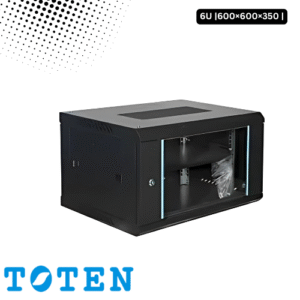
Toten 6U Server Rack 600×600×350