
Server Rack Drawer Causing Downtime? Here’s How to Fix It Before It Happens Again
A technician pulls open a rack drawer to retrieve a spare module, and within seconds, the network goes down. The phones at the reception stop ringing. The POS terminals freeze. The call center goes silent.
It sounds dramatic — but in busy server rooms across Dhaka’s corporate offices, garment factories, and hospital IT departments, this exact scenario plays out more often than any team wants to admit. The server rack drawer, one of the most mundane pieces of rack infrastructure, turns out to be a surprisingly common trigger for unplanned downtime.
This guide explains exactly why that happens, how to identify the warning signs before the next outage, and what practical steps will permanently eliminate the risk.
What Is a Server Rack Drawer and What Does It Do?
A server rack drawer is a slide-out storage unit mounted directly inside a standard 19-inch server rack. It occupies one or two rack units (1U or 2U) of space and is designed to hold tools, spare parts, documentation, small accessories, or media. Some specialized drawers also house KVM switches, optical drives, or LCD console panels.
The appeal is obvious: keeping essential items inside the rack eliminates the need to walk to a storage cabinet during emergencies. In theory, this speeds up response time and keeps the server room organized. In practice, the drawer introduces several physical risks that most IT teams only discover after their first major downtime event.
How a Rack Drawer Can Cause Downtime
Accidentally Dislodged Cables
This is the most common cause — and the most preventable. Cable bundles in server racks can make it almost impossible to accurately follow a desired cable within a cable trunk, which leads to cabling mistakes, accidental cable disconnections, and wasted IT staff time.
When a drawer is opened, especially in a tightly packed rack, the physical movement creates slack tension in nearby cables. If cables are not properly routed with adequate slack and secure fastening, the simple act of sliding out a drawer can pull a patch cable, power lead, or SFP connector just far enough to break the connection. The equipment stays powered — but the link drops. Network monitoring may not immediately flag it as a hardware issue, leading teams to waste time investigating software or configuration problems.
The risk multiplies when cables are routed behind or through the drawer’s travel path. Even a well-intentioned cable tie can become a liability if it anchors a cable to a section of the rack that moves.
Blocked Airflow and Overheating
Disorganized cables can cause equipment interference and are at risk of being pinched and causing outages. They can also disrupt airflow in the rack by getting in the way of system exhausts.
An improperly loaded drawer compounds this. Drawers stuffed with heavy manuals, tools, and spare parts obstruct the front-to-back airflow path that servers depend on for cooling. The optimal temperature inside server racks ranges between 68° to 72°F. Outside air can penetrate the rack body through open slots and holes, and achieving a closed cycle of air circulation inside enclosed cabinets is essential to maintaining compliance with set conditions.
A drawer left partially open even a few centimeters disrupts this closed airflow cycle. Hot exhaust from equipment higher up in the rack can recirculate back to equipment intakes — a problem that builds slowly but eventually produces thermal throttling, unexpected reboots, or permanent hardware damage.
Vibration Damage to Active Hardware
Every time a drawer slides in or out, it transmits mechanical vibration through the rack frame. Vibrations are a hazard that can dislodge components critical to a system. They can also disturb rapidly spinning hard drives — and even with the tiniest scratch, data can become ruined.
In racks that house spinning hard drives — common in small and mid-sized setups across Bangladesh where all-flash storage is still a cost consideration — repeated drawer vibration contributes to cumulative wear. A single rough pull does not kill a drive. But dozens of pulls over months, combined with the mechanical stress already placed on drives by normal operation, can accelerate failure.
Weight Imbalance and Rack Instability
Incorrect weight distribution can compromise both safety and equipment stability. Installing heavy equipment at the top of the rack increases the risk of rack tipping and structural imbalance.
Drawers are frequently installed at convenient eye-level heights in the middle or upper section of the rack. When a fully loaded drawer is extended, it creates a cantilever effect — especially problematic in racks that are not floor-anchored or stabilized with a rear support foot. In older buildings across Dhaka where floor surfaces are not always reinforced to data center standards, an unstable rack is a real physical risk, not just a theoretical one.
3.5 Unauthorized or Accidental Access
A rack drawer without a lock is an open invitation. Cleaners, visitors, or untrained staff can open the drawer out of curiosity — and in doing so, bump adjacent patch panels, press power buttons on nearby 1U servers, or knock loose a USB dongle that handles licensing for critical software. Protecting server racks from unauthorized access is important. Installing access controls, security cameras, and other security measures can help prevent theft and tampering.
Warning Signs Your Rack Drawer Is a Downtime Risk
Not every drawer-related problem announces itself with an outage. Watch for these early indicators:
- Intermittent link drops that correlate with activity near the rack — maintenance visits, cleaning schedules, or supply retrieval
- Rising inlet temperatures on servers at the same height as the drawer, suggesting airflow disruption
- Loose patch cables near the drawer’s path of travel with no obvious explanation
- Rack wobble when the drawer is extended, even slightly
- Hard drive SMART warnings appearing on physical servers in racks with heavily used drawers
- Staff reporting that they “accidentally bumped something” but the system seemed fine afterward
That last point deserves particular attention. Many near-misses go unreported because nothing appeared to go wrong at the time. The damage was done, just not yet visible.
How to Fix and Prevent Rack Drawer–Caused Downtime
Proper Cable Routing and Slack Management
Route all cables with deliberate slack, secured away from the drawer’s slide path. Use horizontal cable managers above and below the drawer to keep bundles tidy and out of the travel zone. Proper cable management can reduce downtime, improve airflow, and prevent user errors. Label both ends of every cable before the drawer is installed. If a cable must later be traced during an incident, a technician should be able to identify it without pulling on it.
What to do: Install a 1U horizontal cable manager directly above the drawer. Route cables over and around — never through — the drawer’s path of travel. Secure cable bundles to the rear vertical rails, not to the drawer unit itself.
When not to do this alone: If cables are already routed through or across the drawer path, do not attempt to reroute during business hours. Schedule the rerouting during a maintenance window to avoid introducing the very outage you are trying to prevent.
Blanking Panels and Airflow Control
Every unused rack unit should be covered with a blanking panel. Blanking panels prevent recirculation through unused rack spaces, yet hot spots can still develop if other airflow or cooling imbalances exist. The drawer itself should be treated as a partial obstruction and its position in the rack planned accordingly — ideally at the bottom of the rack where its airflow impact is lowest. Rackmount Solutions
Keep the drawer closed at all times when not actively in use. This one habit eliminates a significant portion of drawer-related thermal incidents.
Anti-Vibration Mounts and Load Distribution
Use vibration-resistant enclosures for protection and place racks on anti-vibration floor mounts to reduce movement and maintain equipment integrity.
For the drawer itself, avoid storing heavy items — particularly metal tools or spare power supplies — that add unnecessary weight to an elevated position. If the rack is not currently floor-anchored, this is the time to address it. Most standard server racks support anchoring to raised floor tiles or concrete via mounting brackets available locally in Dhaka for approximately ৳800–৳2,500 depending on the bracket type and rack brand.
Heavy equipment should always be positioned low in the rack. Heavy servers or UPS units at the top increase the risk of rack tipping and structural imbalance.
Locking Mechanisms and Access Control
Choose drawers with a physical key lock as a baseline requirement — not an optional upgrade. For higher-security environments, combine drawer locks with rack door locks and an access log. In Bangladesh, basic 1U lockable rack drawers are available from IT hardware distributors in Banglamotor and Elephant Road in the ৳3,500–৳8,000 range. Enterprise-grade locking drawers with steel construction run higher, but the cost is negligible against even a single hour of network downtime in a call center or hospital environment.
Regular Inspection Schedule
A monthly 15-minute physical inspection of the rack prevents the majority of hardware-related incidents. The inspection checklist should include:
- Check all patch cable connections within 2U above and below the drawer
- Confirm drawer slides smoothly without resistance (stiff slides indicate misalignment)
- Verify all blanking panels are in place
- Test rack stability when drawer is extended to full travel
- Confirm drawer lock is functional
- Check inlet temperature readings on servers adjacent to the drawer
Common Mistakes IT Teams Make with Rack Drawers
1. Installing the drawer at eye level for convenience. The most ergonomically convenient position is often the worst for weight balance and cable management.
2. Using the drawer as a general storage bin. Drawers accumulate tools, personal items, old documentation, and spare parts over time. Excess weight and bulk loading is rarely intentional — it happens gradually.
3. Assuming the drawer is passive. Teams treat drawers as furniture, not as active infrastructure components. Any physical element that moves inside a rack is an active risk.
4. Skipping cable slack assessment after drawer installation. Cables that had adequate slack before the drawer was added may have reduced slack after installation due to route changes.
5. Not anchoring the rack after adding a drawer. The combination of a loaded drawer and an unanchored rack is one of the most avoidable physical risks in any server room.
When the Drawer Is Not the Problem
Before attributing downtime to the rack drawer, rule out other causes. Basic diagnostics should confirm: Is the server turned on? Are cables secure? Is there sufficient power? Power outages or fluctuations can cause servers to go down, and loose connections account for a surprising number of incidents.
If downtime correlates with electrical load changes rather than physical activity near the rack, the cause is more likely a power issue. Power fluctuations disrupt operations, cause unexpected shutdowns, and risk hardware damage — inconsistent supply voltages or failing backup systems create these issues. In such cases, a UPS audit is the appropriate starting point, not drawer repositioning.
Similarly, if temperature alarms are triggering without any recent drawer activity, the root cause may be a failed rack fan, a malfunctioning air conditioning unit, or dust accumulation on equipment intakes — all common in Dhaka’s humid climate.
FAQ
Q: Can a rack drawer really cause a network outage by itself?
A: Yes — most commonly when the drawer’s movement dislodges a patch cable or SFP transceiver. The connection loss can look identical to a software or configuration problem on monitoring dashboards, which is why the physical cause is often identified late. Always check physical connections first when downtime follows rack activity.
Q: Where should I position the rack drawer in the rack?
A: At the bottom of the rack, ideally in the lowest 4U positions. This minimizes its impact on weight distribution, keeps cables away from active equipment paths, and places it in the coolest zone of the rack where airflow disruption causes the least harm.
Q: How do I know if my drawer is causing vibration damage to hard drives?
A: Monitor SMART data on drives in the same rack using tools like CrystalDiskInfo (Windows) or smartctl (Linux). Look for reallocated sectors, seek errors, or spin-up failures that increase over time. Correlate the timeline with how frequently the drawer is accessed.
Q: Should I remove the rack drawer entirely?
A: Only if the rack is too densely populated to accommodate the drawer safely, or if the team has no genuine need for in-rack storage. An empty 1U space covered with a blanking panel is preferable to a drawer that introduces risk. If in-rack storage is needed, assess whether a purpose-built shelf at the bottom of the rack serves better.
Q: What is the cost of fixing rack drawer–related downtime risks in Bangladesh?
A: Most preventive measures are low-cost. A lockable 1U rack drawer runs ৳3,500–৳8,000. Anti-vibration floor mounts cost ৳2,000–৳6,000 per rack. Proper cable managers range from ৳500–৳2,500 per 1U unit. The total investment for a properly secured and organized rack drawer setup is typically under ৳15,000 — a fraction of the revenue or productivity lost to even a single two-hour outage.
Q: Does drawer vibration affect SSDs the same way it affects HDDs?
A: Solid-state drives are significantly more resistant to vibration than spinning hard drives because they have no moving mechanical parts. However, vibration can still loosen the physical connector seating of an SSD in its bay or slot, particularly in 2.5-inch tray configurations. The vibration risk is not eliminated by using SSDs — it is reduced.
Q: How often should I physically inspect my rack drawer setup?
A: Monthly as a minimum. In high-traffic server rooms where the drawer is accessed frequently, a brief weekly check of cable connections near the drawer takes under five minutes and catches problems before they become outages.
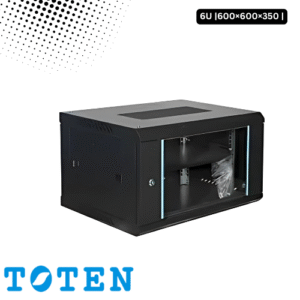
Toten 6U Server Rack 600×600×350
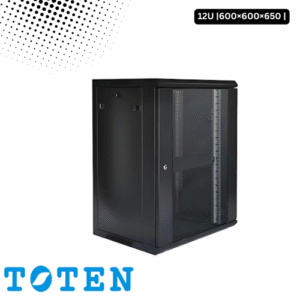
Toten 12U Server Rack 600×600×650
৳ 12,000.00