
Server rack cooling is essential for maintaining optimal performance, preventing overheating, extending hardware lifespan, and reducing energy costs in data centers, server rooms, and IT environments. As rack densities continue to rise—especially with AI, HPC, and high-performance computing—effective server rack cooling solutions have become more critical than ever.
In this guide, we’ll explain the main types of server rack cooling methods, compare their effectiveness, and share best practices to help you choose and implement the right solution for your setup.
Why Server Rack Cooling Matters
Servers generate significant heat from CPUs, GPUs, power supplies, and other components. Poor cooling leads to:
- Thermal throttling and reduced performance
- Hardware failures and downtime
- Higher energy bills from inefficient systems
- Shorter equipment lifespan
Modern racks often exceed 10-20 kW per cabinet, with AI workloads pushing beyond 50-100+ kW. Traditional room-level cooling struggles here, making targeted rack-level solutions increasingly popular.
Main Types of Server Rack Cooling Solutions
Server rack cooling falls into two broad categories: air-based cooling and liquid-based cooling, with hybrid approaches gaining traction in 2026.
1. Air Cooling Methods
Air cooling remains the most common and cost-effective option for low-to-medium density racks (up to ~15-20 kW).
- Room-Level Air Cooling (CRAC/CRAH Units) Computer Room Air Conditioners (CRAC) or Air Handlers (CRAH) supply cool air through raised floors or ducts. Servers pull in cold air from the front and exhaust hot air out the back.
- Hot Aisle / Cold Aisle Containment Organizes racks so cold air enters from one aisle and hot air exits into another. Containment (physical barriers like doors or panels) prevents air mixing, improving efficiency by 10-30%.
- In-Row Cooling Precision cooling units placed between racks deliver cold air directly to server inlets over short paths, reducing energy waste.
- Rear Door Heat Exchangers (RDHx) Liquid-cooled doors attached to the rack’s rear capture hot exhaust air and transfer heat to chilled water—bridging air and liquid cooling.
2. Liquid Cooling Methods
Liquid cooling transfers heat ~4x more efficiently than air, making it ideal for high-density racks (30-200+ kW).
- Direct-to-Chip (Direct Liquid Cooling – DLC) Coolant flows through cold plates attached directly to hot components like CPUs and GPUs. It removes heat at the source with minimal infrastructure changes.
- In-Rack / In-Cabinet Cooling Cooling modules (coils or units) installed inside the rack circulate chilled air or liquid locally.
- Immersion Cooling Servers are submerged in non-conductive dielectric fluid that absorbs heat. Single-phase (fluid stays liquid) or two-phase (fluid boils) options exist. Offers the highest efficiency for ultra-dense setups.
Hybrid systems combine air for standard racks with liquid for high-power ones, providing flexibility as demands evolve.
Comparison of Server Rack Cooling Solutions
| Cooling Type | Rack Density Support | Energy Efficiency (PUE impact) | Initial Cost | Best For | Drawbacks |
|---|---|---|---|---|---|
| Traditional Air (CRAC) | Low-Medium (~5-15 kW) | Moderate (PUE 1.5-2.0) | Low | Small/enterprise rooms | Struggles with high density |
| Hot/Cold Aisle + In-Row | Medium (~10-30 kW) | Good (PUE 1.3-1.6) | Medium | Most data centers | Still air-limited at extreme loads |
| Rear Door Heat Exchanger | Medium-High (~20-75 kW) | Very Good (PUE 1.1-1.4) | Medium-High | Retrofitting existing racks | Requires chilled water |
| Direct-to-Chip Liquid | High (~30-150+ kW) | Excellent (PUE <1.2) | High | AI/HPC workloads | Complex plumbing, maintenance |
| Immersion Cooling | Ultra-High (100+ kW) | Best (PUE ~1.03-1.1) | Very High | Next-gen dense computing | Major infrastructure change |
Liquid cooling often reduces overall data center energy use by 30-50% compared to air-only systems, especially for dense deployments.
Best Practices for Server Rack Cooling
To maximize efficiency and reliability, follow these proven strategies:
- Maintain Proper Airflow Direction Ensure servers follow front-to-back airflow. Never reverse-mount equipment.
- Use Blanking Panels Install blanking panels in empty rack spaces to prevent hot air recirculation.
- Implement Containment Add hot aisle or cold aisle containment for dramatic improvements in cooling efficiency.
- Monitor Temperatures Deploy sensors at rack intake/exhaust and use DCIM software for real-time alerts.
- Cable Management Organize cables to avoid blocking airflow paths—poor cabling can raise temperatures by 5-10°C.
- Regular Maintenance Clean filters, fans, and coils regularly. Check for dust buildup that reduces efficiency.
- Match Cooling to Density Use air cooling for <20 kW racks, transition to liquid (RDHx or DLC) for 20-50+ kW, and consider immersion for extreme densities.
- Plan for Scalability Choose modular solutions that allow easy upgrades as power demands grow.
Choosing the Right Server Rack Cooling Solution
- Low-density setups (<15 kW/rack): Stick with optimized air cooling + containment.
- Medium-density (15-40 kW): In-row cooling or RDHx offers great balance.
- High-density/AI workloads (>40 kW): Direct-to-chip or immersion liquid cooling delivers the best performance and efficiency.
Effective server rack cooling isn’t just about preventing failures—it’s a key driver of energy savings, sustainability, and supporting next-generation computing demands.
Need help selecting or implementing a cooling solution for your specific rack setup? Consider your current rack density, power usage, and future expansion plans to make the smartest choice.
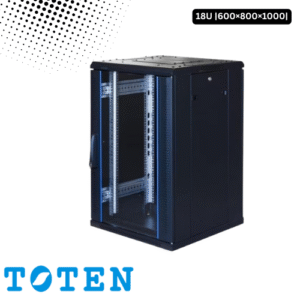
Toten 18U Server Rack 600x800x1000
৳ 24,000.00