When planning an office network, server room, or IT infrastructure, choosing the right rack is an important decision. Two common options are server racks and network racks. Although they may look similar, they can differ in design, depth, airflow, cable management, and intended equipment.
So, what is the difference between a server rack and a network rack? Can you use a network rack for servers, or can a server rack accommodate networking equipment?
The answer depends on your equipment, installation environment, cooling requirements, and future expansion plans.
In this guide, we will explain the key differences between server racks and network racks to help you select the right solution for your IT infrastructure.
What Is a Server Rack?
A server rack is a cabinet or frame designed to organize, mount, protect, and manage server-related equipment. It is commonly used in server rooms, data centers, enterprise IT environments, and business infrastructure.
Server racks typically support equipment such as:
Rack-mounted servers
Storage systems
Network switches
Patch panels
Rack-mounted UPS systems
Power Distribution Units (PDUs)
KVM switches
Many enclosed server racks include front and rear doors, removable side panels, cable entry points, and ventilation features. Some models also support cooling accessories and security locks.
However, server rack designs vary. Not every server rack has the same depth, load capacity, ventilation arrangement, or accessories.
What Is a Network Rack?
A network rack is designed primarily to organize and mount networking and telecommunications equipment. It is commonly used in offices, ISP installations, CCTV control rooms, communication rooms, and structured cabling environments.
Typical network rack equipment includes:
Network switches
Routers
Patch panels
Firewall appliances
Fiber optic distribution units
Cable management panels
Modems and other communication devices
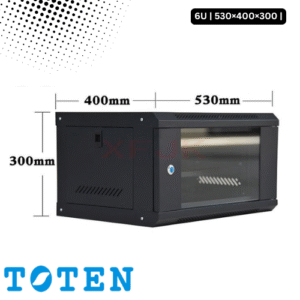
Network racks are available in different configurations, including wall-mounted cabinets, floor-standing cabinets, and open-frame racks.
They help keep networking equipment organized, improve cable management, and make maintenance easier.
Server Rack vs Network Rack: Key Differences
The biggest difference is their intended application. A server rack is generally selected for server and storage equipment, while a network rack is commonly selected for switches, patch panels, routers, and communication equipment.
However, both types can support overlapping equipment when their dimensions and mounting requirements are compatible.
| Comparison | Server Rack | Network Rack |
|---|---|---|
| Primary purpose | Servers and storage equipment | Networking and communication equipment |
| Typical equipment | Servers, storage, UPS, switches | Switches, routers, patch panels, firewalls |
| Depth | Often deeper configurations | Often available in shallower configurations |
| Cooling | May require front-to-rear airflow management | Depends on equipment and cabinet design |
| Cable management | Supports power and data cable routing | Often emphasizes network cable organization |
| Construction | May be designed for heavier equipment | Varies according to intended equipment and load |
| Common locations | Server rooms and data centers | Offices, network rooms, CCTV and telecom rooms |
| Available designs | Enclosed cabinets and open frames | Wall-mounted, floor-standing and open frames |
Important: These are general tendencies, not universal rules. Always check the rack’s internal dimensions, mounting specifications, load capacity, and ventilation design.
1. Depth: One of the Most Important Differences
Depth is one of the most important factors when comparing server racks and network racks.
Rack-mounted servers can require considerable front-to-back space. The rack must also provide enough room for power connectors, cable routing, airflow, and maintenance access.
Network equipment, such as switches and patch panels, may require less mounting depth. Therefore, some network racks are designed with a shallower cabinet.
But not all network equipment is shallow, and not all server equipment requires the same depth.
Before choosing a rack, check:
Equipment depth
Available mounting depth
Front and rear clearance
Cable connector space
Door clearance
Airflow requirements
Practical tip: Do not select a rack based only on its external depth. Check the usable internal mounting depth and the equipment manufacturer’s installation requirements.
2. Equipment Compatibility
Server racks and network racks can both support standard 19-inch rack-mounted equipment, provided the equipment and rack follow compatible mounting specifications.
For example, a 19-inch network switch may fit inside a compatible server rack. Similarly, certain rack-mounted servers may fit inside a network cabinet if the cabinet provides sufficient depth, mounting support, and ventilation.
Before installation, verify:
Rack mounting width and rail compatibility
Rack unit (U) requirements
Equipment depth and weight
Rail or mounting bracket requirements
Front and rear access requirements
Power and cooling needs
A rack that physically fits the equipment may still be unsuitable if it cannot provide the required support or cooling.
3. Cooling and Airflow
Cooling requirements can vary significantly depending on the installed equipment.
Servers often generate substantial heat and may rely on a specific front-to-rear airflow pattern. A server rack should support the equipment’s cooling design and provide suitable ventilation.
Networking equipment also produces heat. Multiple switches, routers, and other devices installed in a confined cabinet can create heat buildup.
When selecting either type of rack, consider:
Ventilated doors or panels
Equipment airflow direction
Front and rear clearance
Rack ventilation accessories
Room temperature and cooling capacity
Cable placement that does not obstruct airflow
An enclosed rack is not automatically suitable for high-heat equipment. Its ventilation design and the room’s cooling system must match the actual heat load.
4. Cable Management
Both server racks and network racks need proper cable management, but their cable-management requirements can differ.
A server rack may need to organize:
Server power cables
Network cables
Storage connections
KVM connections
PDU power connections
A network rack may need to organize:
Ethernet patch cords
Fiber optic cables
Patch panel connections
Switch uplinks
Router and firewall connections
Network racks often require careful patch cord organization because many network connections may be concentrated in a small area.
Useful cable-management accessories include:
Horizontal cable managers
Vertical cable managers
Cable trays
Cable rings
Brush panels
Velcro cable ties
Proper cable management improves accessibility, reduces clutter, and helps prevent cables from blocking airflow.
5. Load Capacity and Construction
Server equipment can be heavy, particularly when multiple servers, storage systems, UPS units, and accessories are installed in one cabinet.
For this reason, load capacity is an important consideration when selecting a server rack.
Network racks also need sufficient structural support for their installed equipment. The required capacity depends on the number, size, and weight of the switches, UPS systems, and other devices.
Before purchasing a rack, check:
Static load capacity
Dynamic load capacity, if applicable
Mounting rail strength
Floor-loading requirements
Wall-mounting capacity, for wall-mounted cabinets
Equipment weight distribution
Never assume that two racks with identical dimensions have the same load capacity.
6. Security and Physical Protection
An enclosed rack can provide physical protection for installed equipment, helping restrict unauthorized access and protect devices from accidental contact.
Both server racks and network racks are available with security features such as:
Lockable front doors
Lockable rear doors
Side panels
Access-control options
Secure cable entry points
Open-frame racks provide easier physical access but offer less protection against unauthorized handling and environmental exposure.
Choose an enclosure based on the security requirements of the installation location.
Can You Use a Network Rack for Servers?
Yes, in some cases. A network rack can accommodate server equipment if it meets all the necessary installation requirements.
Before installing a server in a network rack, confirm:
Depth: The rack has sufficient usable mounting depth.
Mounting: The rails and mounting points support the server.
Weight: The rack can safely carry the server’s weight.
Airflow: The cabinet supports the server’s cooling requirements.
Clearance: There is enough space for cables and maintenance.
Power: The rack can accommodate the required power distribution equipment.
A shallow wall-mounted network cabinet, for example, may not be suitable for a full-depth rack server.
If you plan to install multiple servers or storage systems, a purpose-designed server rack is often a more practical choice.
Can You Use a Server Rack for Network Equipment?
Yes. A server rack can generally accommodate compatible network equipment, including switches, routers, patch panels, and firewall appliances.
A server rack may be particularly useful when a business wants to install servers and networking devices in the same cabinet.
However, proper planning is important. You should consider:
Available rack units
Equipment mounting compatibility
Patch cord organization
Power distribution
Cooling and ventilation
Future expansion
Using a server rack for network equipment can provide a centralized installation space for an organization’s IT infrastructure.
Which One Should You Choose?
The right choice depends on the equipment you plan to install and the environment where the rack will be used.
Choose a server rack if:
You need to install rack-mounted servers.
Your setup includes storage systems or rack UPS units.
You need deeper equipment mounting space.
You are building a dedicated server room or data center.
Choose a network rack if:
Your installation mainly contains switches and patch panels.
You need a structured cabling arrangement.
You are organizing office networking equipment.
A wall-mounted or compact cabinet suits your installation.
Example: Office Network Setup
Suppose a small office needs to install:
One router
Two network switches
Two patch panels
One firewall appliance
A suitable network rack may be sufficient, depending on equipment dimensions and installation requirements.
Example: Business Server Room
Now consider a business that needs to install:
Two rack-mounted servers
One storage system
Two network switches
One rack-mounted UPS
Power distribution equipment
A suitable server rack may be the better choice because the installation requires more mounting depth, structural support, and equipment cooling considerations.
What to Check Before Buying a Server or Network Rack
Before purchasing either type of rack, evaluate the following factors:
1. Equipment list: Identify every device that will be installed.
2. Rack height: Calculate the total rack unit (U) requirements and reserve space for future expansion.
3. Mounting depth: Check the usable internal depth against the deepest equipment.
4. Load capacity: Confirm that the rack can support the total installed weight.
5. Cooling: Match the ventilation design to the equipment’s heat output.
6. Cable management: Plan cable entry, routing, and maintenance access.
7. Installation location: Check available floor or wall space, access clearance, and environmental conditions.
8. Accessories: Consider PDUs, shelves, cable managers, fans, and mounting rails where required.
For a more detailed buying guide, read our upcoming article on How to Choose the Right Server Rack for Your Business.
Frequently Asked Questions (FAQs)
1. What is the main difference between a server rack and a network rack?
A server rack is generally designed for servers and storage equipment, while a network rack is commonly used for switches, routers, patch panels, and communication devices. Their actual capabilities depend on the rack’s dimensions and specifications.
2. Are server racks and network racks the same size?
No. Both are available in different heights, widths, and depths. Many use the standard 19-inch mounting format, but their external dimensions and usable mounting depth can differ.
3. Can I install a network switch in a server rack?
Yes. A network switch can be installed in a compatible server rack using the appropriate mounting hardware.
4. Can I install a server in a network rack?
Yes, if the network rack provides sufficient depth, mounting compatibility, load capacity, airflow, and clearance for the server.
5. Is a 19-inch server rack suitable for networking equipment?
Yes. A compatible 19-inch server rack can accommodate many types of networking equipment, including switches, routers, and patch panels.
6. Which rack is better for a CCTV system?
It depends on the equipment. A CCTV installation with a network switch, NVR, and patch panel may work well in a suitable network rack. A larger installation with servers, storage, and UPS equipment may require a server rack.
7. Is a wall-mounted network rack suitable for a server room?
It may be suitable for lightweight networking equipment, depending on its mounting capacity and dimensions. However, many rack-mounted servers are too deep or heavy for typical wall-mounted network cabinets.
8. Do server racks and network racks use the same accessories?
Many accessories, such as shelves, PDUs, cable managers, and mounting hardware, are available for both. Compatibility depends on the rack’s mounting format, dimensions, and design.
Server racks and network racks serve related but slightly different purposes in IT infrastructure. Server racks are generally selected for server and storage installations, while network racks are commonly used to organize switches, routers, patch panels, and communication equipment.
However, the distinction is not absolute. A rack’s actual suitability depends on its mounting compatibility, usable depth, load capacity, airflow, and installation requirements.
Before making a purchase, identify your equipment requirements and choose a rack that can support both your current installation and future expansion.
If you are planning a server room, office network, or data center, explore the available server rack and network rack solutions from TOTEN BD to find a suitable option for your project.