Server overheating is one of the most critical challenges facing data center managers and IT professionals today. When server rack temperatures rise beyond optimal levels, you’re not just risking equipment failure—you’re facing potential data loss, reduced hardware lifespan, and skyrocketing energy costs. Proper airflow management isn’t just a best practice; it’s essential for maintaining operational efficiency and protecting your technology investment.
In this comprehensive guide, we’ll explore seven proven airflow management strategies that will help you maintain optimal server rack temperatures, reduce cooling costs, and extend the life of your critical infrastructure.
Why Server Rack Cooling Matters
Before diving into our essential tips, it’s important to understand why cooling management deserves your attention. Modern servers generate substantial heat during operation, with high-density racks producing thousands of watts of thermal energy. Without proper cooling, internal temperatures can quickly exceed manufacturer specifications, typically around 80-82°F (27-28°C), leading to thermal throttling, unexpected shutdowns, and permanent hardware damage.
The financial impact is equally significant. Poor airflow management forces HVAC systems to work harder, potentially increasing energy consumption by 20-30%. In enterprise environments, this translates to thousands of dollars in unnecessary operational expenses annually.
1. Implement Hot Aisle/Cold Aisle Configuration
The hot aisle/cold aisle configuration is the foundation of effective data center cooling. This layout alternates the direction server racks face, creating dedicated aisles for cool air intake and hot air exhaust.
In this arrangement, server fronts (where cool air enters) face one aisle—the cold aisle—while the backs (where hot air exhausts) face the opposite aisle—the hot aisle. This simple yet effective design prevents hot and cold air from mixing, dramatically improving cooling efficiency.
To maximize this configuration’s benefits, position your Computer Room Air Conditioning (CRAC) units to blow cool air into cold aisles while placing return air grills in hot aisles. This creates a natural circulation pattern that works with your cooling system rather than against it.
Many facilities take this concept further by implementing containment systems. Cold aisle containment encloses the cold aisle with doors and roof panels, while hot aisle containment does the same for hot aisles. Both approaches significantly improve cooling efficiency, with hot aisle containment often considered more effective for high-density environments.
2. Eliminate Open Rack Spaces with Blanking Panels
One of the most common—and easily correctable—cooling mistakes is leaving unused rack spaces open. These gaps allow hot air from behind the rack to recirculate to the front, dramatically reducing cooling efficiency and creating hot spots.
Blanking panels are inexpensive solutions that fill these empty spaces, maintaining proper airflow separation. When installing blanking panels, ensure complete coverage of all unused rack units. Even small gaps can compromise your cooling strategy.
The return on investment for blanking panels is remarkable. Studies have shown that properly implemented blanking panels can reduce cooling costs by 10-15% while simultaneously lowering server intake temperatures by several degrees. For a minimal upfront cost, you’re protecting expensive equipment and reducing long-term operational expenses.
3. Organize and Manage Cable Infrastructure
Cable management might seem purely aesthetic, but it plays a crucial role in airflow optimization. Poorly managed cables create physical obstructions that disrupt airflow patterns, forcing cooling systems to work harder while creating inconsistent temperature zones within your racks.
Start by routing cables through designated cable management arms, vertical managers, and horizontal trays. Keep power and data cables separated when possible, and avoid running cables across open rack spaces where they’ll obstruct airflow. For existing installations with cable congestion, consider a systematic cleanup project that reorganizes cables into neat, secured bundles along the rack’s sides.
Raised floor environments require special attention. Excessive cabling under raised floors can block airflow from perforated tiles, creating cooling dead zones. Regular audits of under-floor cable pathways help maintain optimal air distribution throughout your facility.
4. Optimize Perforated Tile Placement
In raised floor data centers, perforated tiles serve as the primary delivery mechanism for cool air. However, many facilities compromise cooling efficiency by placing these tiles randomly or according to outdated layouts that don’t reflect current rack configurations.
Strategic perforated tile placement focuses on delivering cool air directly where servers need it—in cold aisles and in front of high-heat-generating equipment. Remove perforated tiles from hot aisles and other areas where cool air delivery isn’t necessary. Replace them with solid tiles to increase air pressure in critical zones.
The percentage of perforation matters too. High-density racks require tiles with greater perforation percentages (typically 40-60%), while standard racks perform well with 25% perforation. Matching tile specifications to your equipment’s cooling demands ensures efficient air distribution without waste.
Consider using grommeted tiles around floor-mounted cabinets to direct airflow precisely where needed while minimizing bypass airflow that wastes cooling capacity.
5. Maintain Proper Server Rack Density and Spacing
Rack density—the amount of equipment packed into each rack—directly impacts cooling requirements. While consolidation offers space efficiency benefits, overloading racks with high-powered equipment creates cooling challenges that even the best airflow management can’t overcome.
When planning rack layouts, calculate the total power consumption and heat output for each rack. Most standard data center cooling designs assume 5-7 kW per rack. Exceeding this threshold without supplemental cooling solutions invites overheating problems.
For high-density applications requiring 10 kW or more per rack, consider supplemental cooling strategies such as in-row cooling units, rear-door heat exchangers, or liquid cooling systems. These targeted approaches handle concentrated heat loads more effectively than relying solely on room-level cooling.
Equipment spacing within racks also matters. Maintain at least one rack unit of space between high-heat-generating devices when possible, allowing adequate airflow around each component. This practice is especially important for older equipment that may lack efficient thermal management features.
6. Monitor and Maintain Consistent Temperatures
You can’t manage what you don’t measure. Comprehensive temperature monitoring provides the data needed to identify cooling problems before they cause equipment failures or efficiency losses.
Deploy temperature sensors at multiple locations within and around your racks. Key monitoring points include server air intakes, exhaust areas, and at various heights within racks (top, middle, and bottom). Many organizations also monitor under-floor plenum temperatures and CRAC unit outputs to build complete thermal maps.
Modern environmental monitoring systems offer real-time alerts when temperatures exceed predetermined thresholds, enabling rapid response to developing problems. Some advanced systems integrate with building management systems (BMS) to automatically adjust cooling output based on actual thermal conditions.
Establish temperature targets based on equipment specifications and industry standards. The American Society of Heating, Refrigerating and Air-Conditioning Engineers (ASHRAE) recommends supply temperatures between 64.4-80.6°F (18-27°C) for data center equipment, with many facilities targeting the lower end of this range for additional safety margin.
Regular temperature audits help identify trends and problem areas. Quarterly thermal imaging surveys reveal hot spots invisible to conventional monitoring, highlighting areas where airflow improvements could deliver immediate benefits.
7. Implement Regular Maintenance and Cleaning Protocols
Even the best-designed cooling system loses efficiency over time without proper maintenance. Dust accumulation on server components, CRAC filters, and within airflow pathways reduces thermal transfer efficiency and restricts airflow, forcing equipment to work harder while running hotter.
Develop a scheduled maintenance program that includes regular filter changes for all cooling units—typically every three months, though high-dust environments may require monthly service. Clean server components during scheduled maintenance windows, paying special attention to heat sinks, fans, and ventilation grills where dust accumulates most readily.
Inspect and clean raised floor plenums annually. Over time, these spaces accumulate debris that restricts airflow and reduces cooling system effectiveness. Similarly, clean or replace perforated tiles that have become clogged with dust or debris.
Monitor and maintain proper humidity levels alongside temperature management. ASHRAE recommends 40-60% relative humidity for data centers. Too little humidity increases static electricity risks, while excessive humidity can cause condensation and corrosion.
Building a Comprehensive Cooling Strategy
Effective server rack cooling isn’t achieved through a single solution but rather through the comprehensive application of multiple strategies working in concert. By implementing these seven essential airflow management tips—from establishing hot/cold aisle configurations to maintaining rigorous monitoring and maintenance protocols—you’ll create an environment where servers operate reliably within optimal temperature ranges.
The benefits extend beyond equipment protection. Proper cooling management reduces energy consumption, lowers operational costs, and extends hardware lifespan, delivering substantial return on investment while supporting your organization’s sustainability goals.
Start with quick wins like installing blanking panels and improving cable management, then progress toward more comprehensive improvements such as aisle containment and advanced monitoring systems. Each step forward moves you closer to a data center environment optimized for performance, efficiency, and reliability.
Remember that cooling requirements evolve as you add equipment, increase density, and upgrade infrastructure. Treat airflow management as an ongoing process rather than a one-time project, regularly reassessing your strategies to ensure they continue meeting your needs as your environment changes.

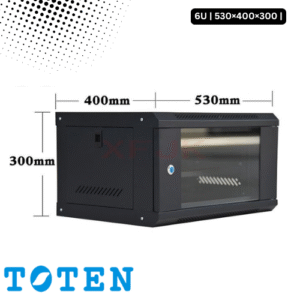
Toten 6U Server Rack 530×400×300
৳ 6,000.00
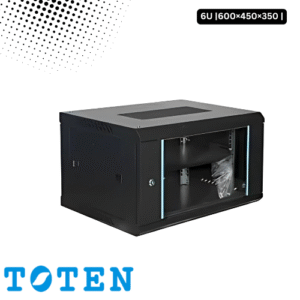
Toten 6U Server Rack 600×450×350
৳ 8,500.00
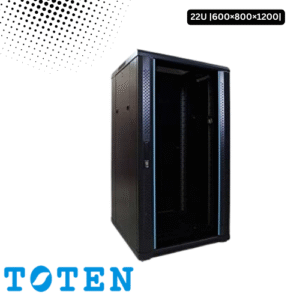
Toten 22U Server Rack 600x800x1200
৳ 30,000.00
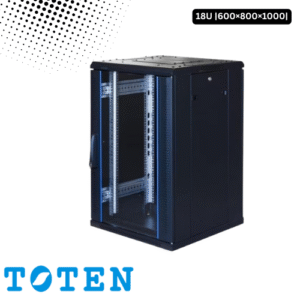
Toten 18U Server Rack 600x800x1000